
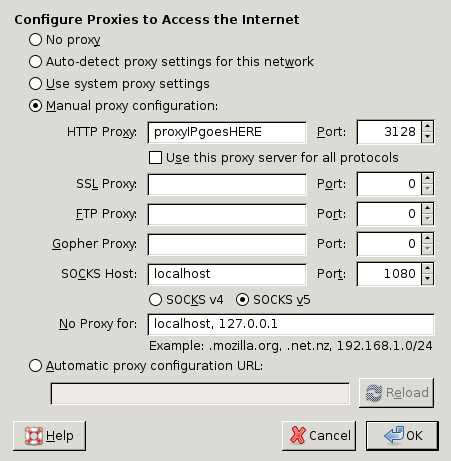
I’d venture to say that most of you have installed a piece of software on a computer at some point in your life (like, say, the web browser you’re probably using to read this). It may not be something you do frequently, but you’ve probably done it at least once or twice. If you have (and it wasn’t years ago or anything), you probably saw a button or something that said “Advanced”, or perhaps a set of radio buttons allowing you to select between “Recommended” and “Custom” installation options. Sound familiar?
This is what very clearly separates the nerds from the users, so to speak. The average user virtually always chooses to install his spiffy new application using whatever default configuration the developer saw fit to include. And why wouldn’t they? It’s easy to trust that the developer figured out the most common usage for his application and built it so that us users wouldn’t have to sweat any of those details; we could click “Next” a bunch of times, then “Finish” and be off to the races. Trouble is, that’s not how you get good with this stuff.
Clicking “Advanced” or “Custom” when interacting with a piece of software comes with three built-in benefits:
1. You’ll learn more - If you give a crap about become more proficient with technology, a good place to exercise that desire is in the Advanced configuration section. Once you see that you have a more control than you thought over how the application behaves, the more likely you are to educate yourself about what exactly each option does and why you should consider dorking around with it. Clever segue!
2. You’ll have more control over your software. There’s a reason why car guys spend hours wrenching on their old hot rods, adding performance components and squeezing every last drop of power out of their babies - because they know they can. Once you learn how you can trick out your favorite tool (as in the previous step), you’ll wonder why you didn’t try it sooner. Some applications are more configurable than others, obviously, but the ones that offer true flexibility and customization are the ones that you can bend to how you work best, not how the developer imagined you work.
3. It’ll freak you out a little. Admittedly, this is a bit hyperbolic, but staring at the configuration options for, let’s say, Microsoft Word can be more than a little daunting to the uninitiated. This is good. This is good because it will force you a tiny bit outside what you’re comfortable with and everybody needs that from time to time.
I like to think of it this way - the default configuration is for people who aren’t really interested in really making themselves at home. It’s for people who are more interested in conforming the task to the tool instead of the other way around. I’m not saying there’s anything necessarily wrong with this approach, just that it isn’t the way of the nerd.
Throw caution to the wind. Clicking “Advanced” is one of the first steps to working like a nerd works.
Photo by Kai Hendry

skill…but not everyone has the ability to…
tap into this profitable marketing tool…some are just launching their first blogs. if you are one of these people…there are few things you need to learn in order to make your blog popular. and unless you have the experience to provide…